Case Study: From Product Requirement to Production-Ready Design
Case Study: From Product Requirement to Production-Ready Design
A representative project created to reflect my design process while honoring NDA restrictions.
A representative project created to reflect my design process while honoring NDA restrictions.
Project Overview
In a fast-paced, multi-client studio environment, internal teams were working with fragmented design systems that couldn't keep up. New components were being created from scratch for every engagement. There was no shared process for how a component should go from "we need this" to "this is shipped and documented."
The problem wasn't just the lack of a system. It was the lack of a framework for building the right things, the right way, every time.
I led the creation of a productization framework that treated every component like a small product: scoped through a PRD, validated through research and compliance review, designed to system standards, documented for adoption, and handed off with confidence. The design system became the home for these components, but the framework is what made the system trustworthy and scalable.
Role:
Led productization framework and design system creation. Hands-on design across all stages.
Scope:
Productization Process, Component Lifecycle, Design System, Documentation & Governance
Timeline:
2 years
Tools:
Figma and AEM
How Every Component Gets Built
Before this framework existed, component creation was inconsistent. Some components were designed in a day with no research. Others were over-engineered with no clear requirements. Developers would get specs that didn't account for edge cases, accessibility, or how the component fit into the bigger picture.
The productization framework changed that. Every component, whether it's a hero banner, a modal, a data table, or a navigation pattern, goes through the same lifecycle:
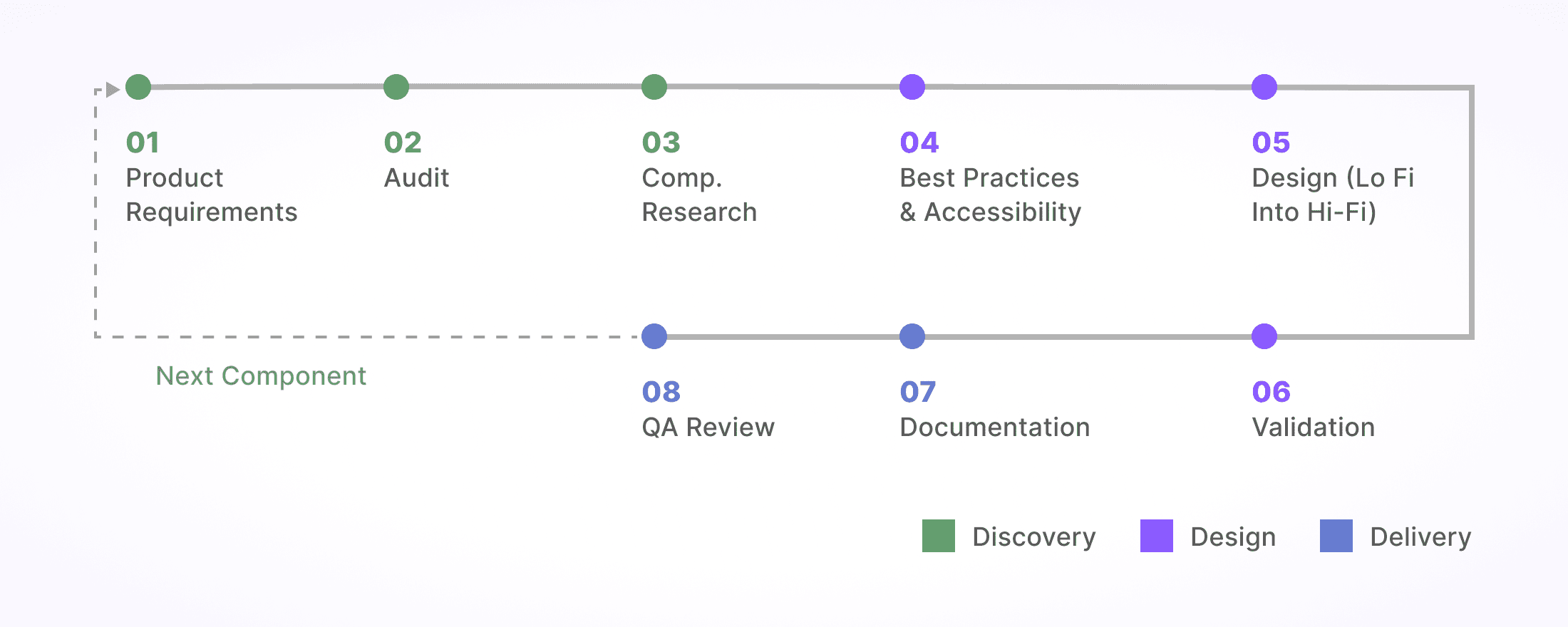
Product Requirements
Define what the component needs to do, who it serves, and where it lives. Aligned through a PRD before any pixels are pushed.
Internal Audit
Review what exists across the platform. What worked, what's broken, and where are the inconsistencies?
Competitive & Comparative Research
How do other products solve the same problem? What's standard, and where can we do better?
Best Practices & ADA Compliance
Cross-reference against WCAG, ADA, AODA, and interaction design best practices. Accessibility is baked in from here, not added at the end.
Design & Iteration
Design the component with full state coverage in Figma (default, hover, focus, disabled, error, loading), built with tokens, run through critiques and feedback loops.
Validation & Testing
Usability testing, internal reviews with product and engineering, and stress-testing for edge cases, responsive behavior, and compliance.
Documentation & Handoff
Usage guidelines, dos and don'ts, token mappings, and developer-ready specs.
QA & Implementation Review
Post-handoff review to catch gaps before they become patterns.
This isn't a theoretical process. Every component in the system went through it. Here's what it looks like in practice.
Lifecycle in Action: The Card Component
The card component is one of the most versatile and heavily reused elements across the platform. It's also one that had grown messy over time: multiple versions with inconsistent spacing, unclear content rules, and accessibility gaps. Here's how it went from problem to production-ready.
Stage 1: Product Requirements
The PRD defined the core purpose: a flexible, responsive card component that could support multiple content configurations (image + text, text-only, text + CTA, icon + text, stat/metric) across different product areas. Key requirements included responsive behavior across 4 breakpoints, support for dark and light themes, variable content lengths without breaking layout, and compatibility with the existing token architecture.
Worked hands-on with Modo’s platform to understand limitations in layout, interaction, and content hierarchy. Collaborated with platform developers and support to uncover hidden capabilities and workarounds.
Stage 2: Internal Audit
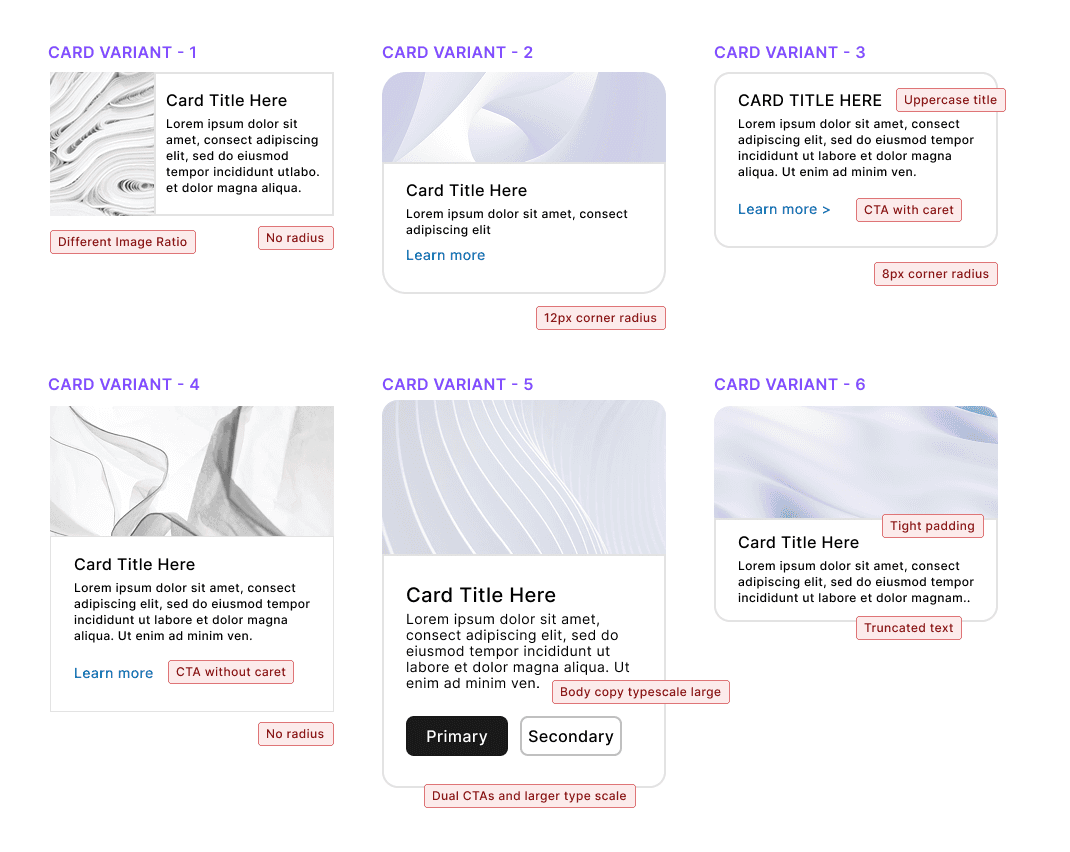
An audit across the platform revealed 6+ card variations already in use, with inconsistent padding, typography hierarchy, image aspect ratios, corner radius, and interactive behavior. Some cards were clickable with no focus state. Others had content truncation that cut off mid-word. Elevation and shadow usage varied from product to product. The audit gave a clear map of what to consolidate, what to deprecate, and what to fix.
Worked hands-on with Modo’s platform to understand limitations in layout, interaction, and content hierarchy. Collaborated with platform developers and support to uncover hidden capabilities and workarounds.
Stage 3: Competitive & Comparative Research
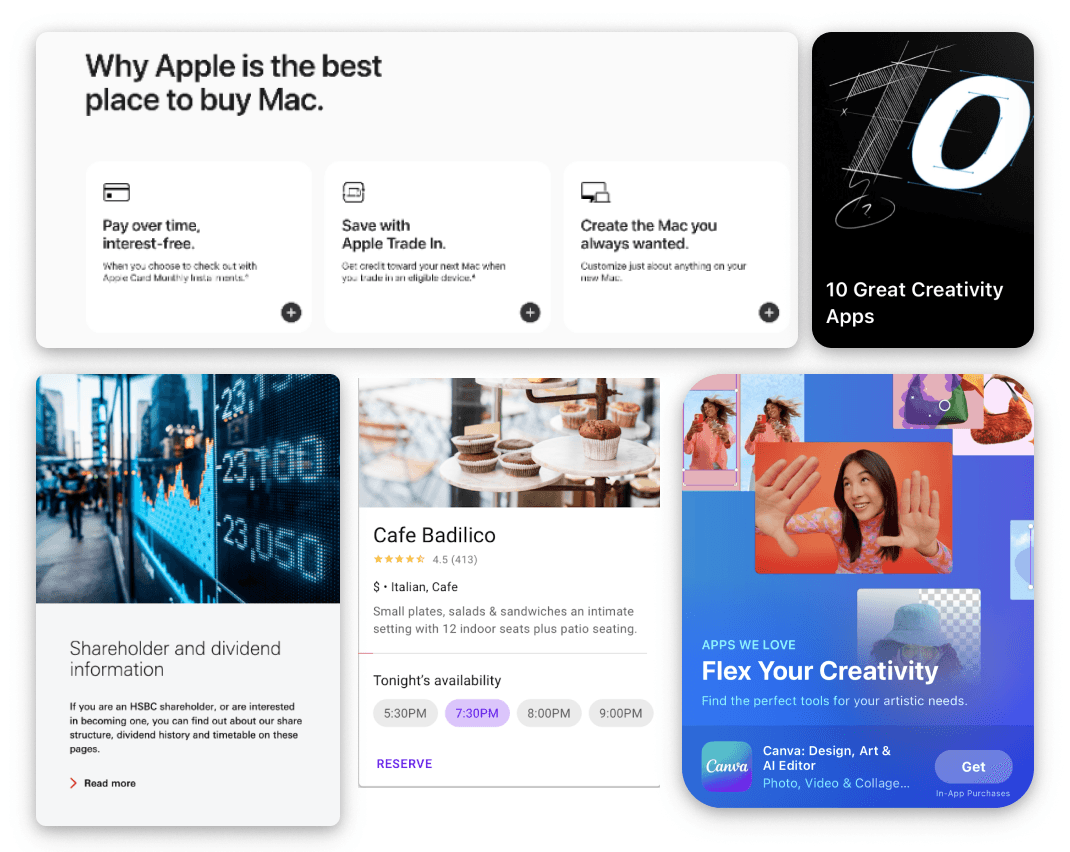
Looked at card patterns across 10+ products different industries.
Key takeaways: the strongest card systems used a modular content slot approach rather than fixed layouts, allowing the same base card to flex across use cases.
Consistent internal spacing (not just external) was a defining trait of polished systems.
Most competitors underinvested in card accessibility, particularly around interactive cards where the entire surface was clickable but only the CTA had a focus indicator.
Worked hands-on with Modo’s platform to understand limitations in layout, interaction, and content hierarchy. Collaborated with platform developers and support to uncover hidden capabilities and workarounds.
Stage 4: Best Practices & ADA Compliance
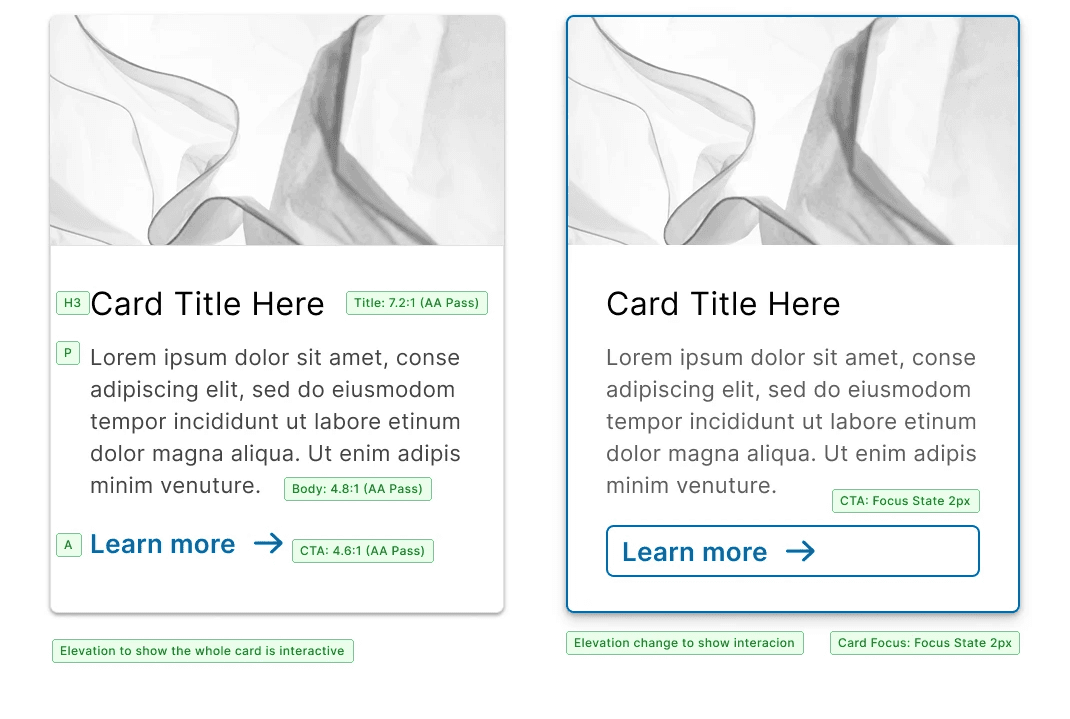
Every design decision was cross-referenced against WCAG 2.1 AA standards and AODA requirements.
For the card specifically, this meant: minimum 4.5:1 contrast for all text on both light and dark surface variants, a clear focus ring on interactive cards (not just the CTA within them), proper semantic structure so screen readers announce cards as distinct content blocks, alt text patterns for card images, and content ordering that made sense when read linearly without the visual layout.
Worked hands-on with Modo’s platform to understand limitations in layout, interaction, and content hierarchy. Collaborated with platform developers and support to uncover hidden capabilities and workarounds.
Stage 5: Design & Iteration
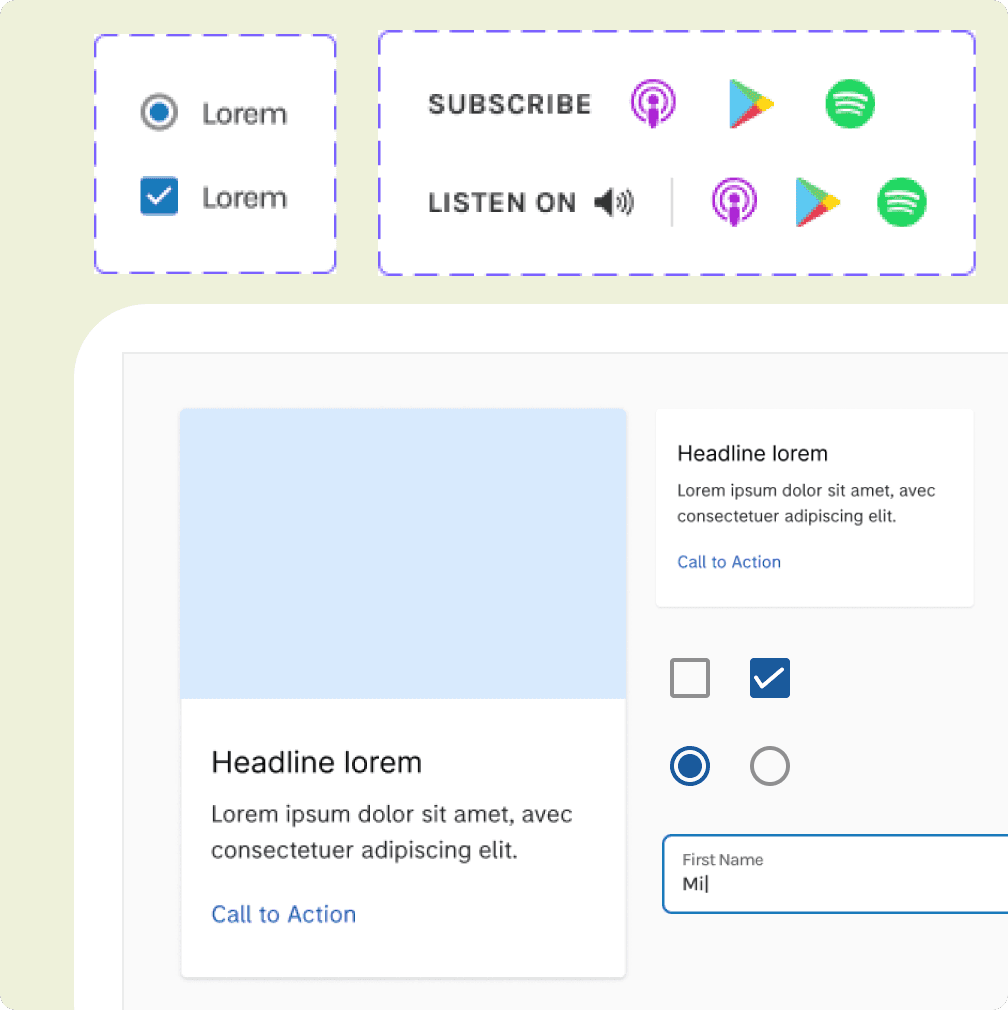
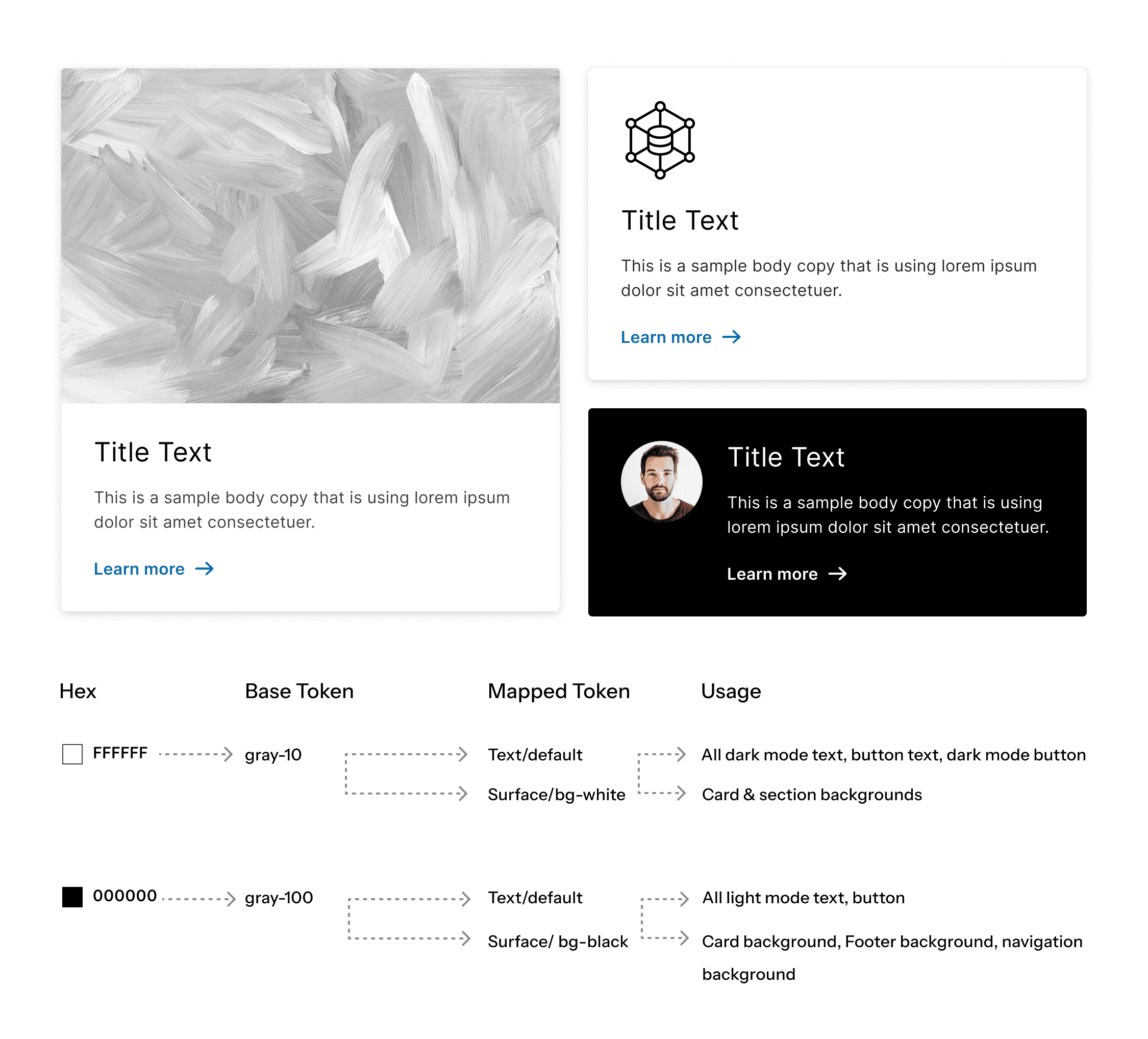
Designed the component in Figma with full token integration: color, typography, spacing, border radius, and elevation all pulling from the system's token library. Built out every variant: default, hover, focus, with image, without image, horizontal layout, vertical layout, dark theme, light theme, compact, and expanded. Each variant used a content slot approach so teams could configure cards for their use case without breaking the system.
Ran the designs through two rounds of internal critique and one engineering review. Refined the internal padding scale after feedback showed the initial version felt too tight at smaller card sizes. Also adjusted the image aspect ratio tokens to prevent distortion across different content configurations.
Worked hands-on with Modo’s platform to understand limitations in layout, interaction, and content hierarchy. Collaborated with platform developers and support to uncover hidden capabilities and workarounds.
Stage 6: Validation & Testing
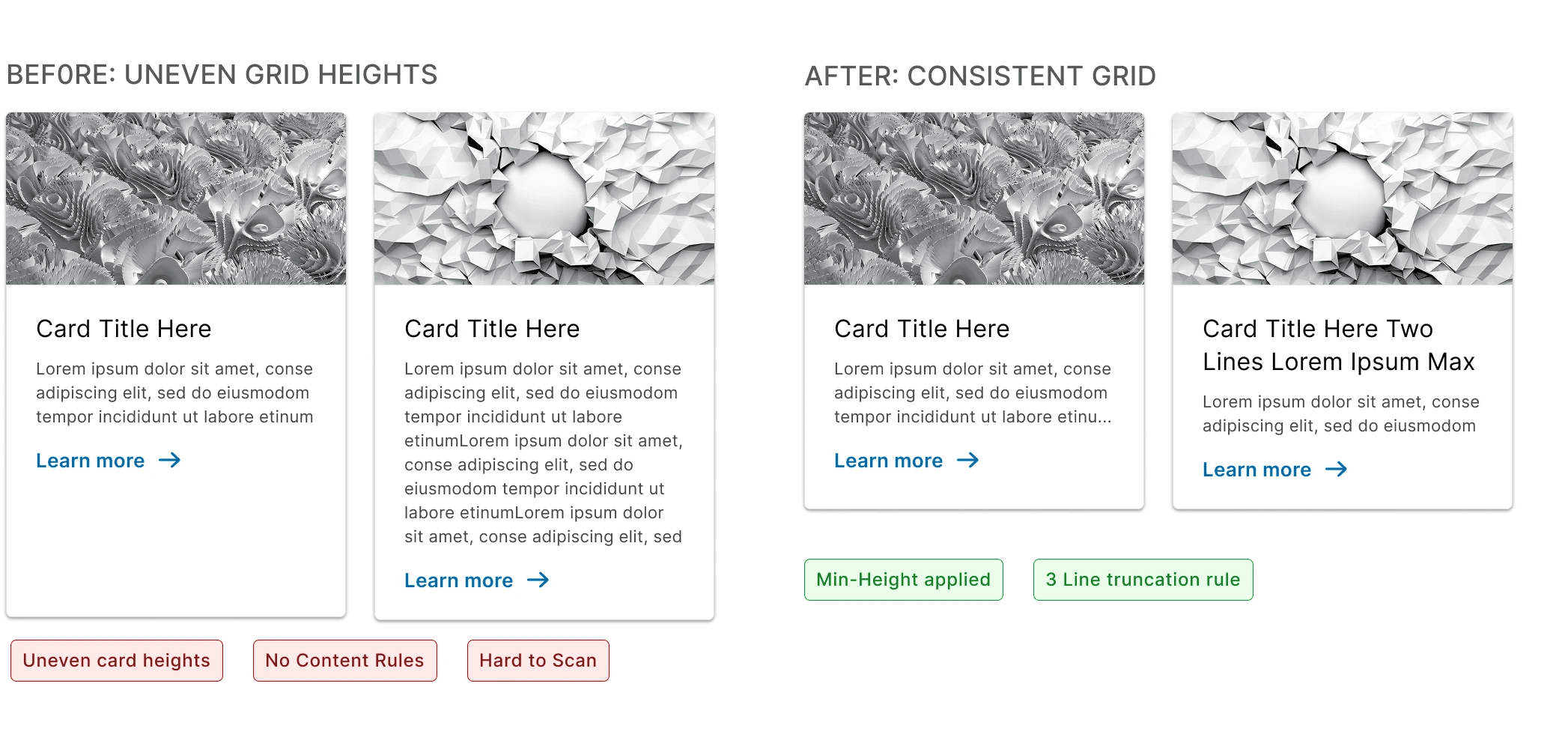
Tested the card component in context across three product pages with different content types. Usability feedback confirmed that the modular slot approach worked well for teams, but surfaced one issue: when cards with varying content lengths sat side by side in a grid, the inconsistent heights created visual noise. Solved this by introducing a min-height token and an optional content truncation rule with a "show more" pattern for overflow.
Worked hands-on with Modo’s platform to understand limitations in layout, interaction, and content hierarchy. Collaborated with platform developers and support to uncover hidden capabilities and workarounds.
Stage 7: Documentation & Handoff
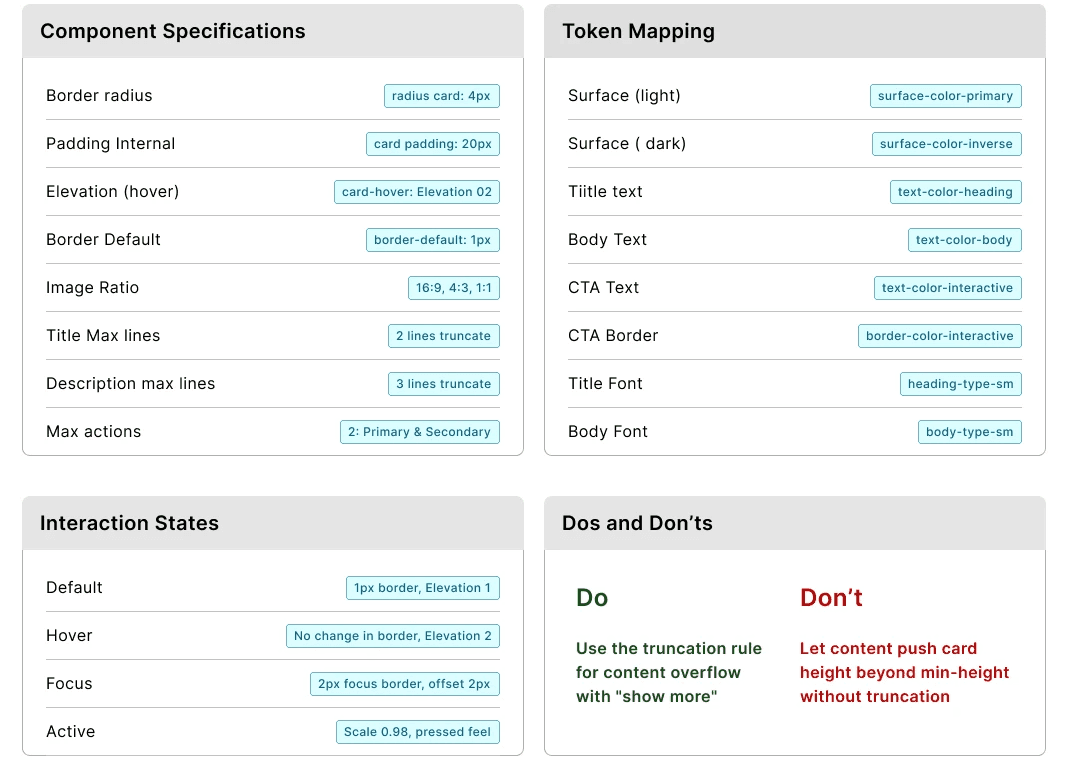
Every variant was documented with usage guidelines, content rules (character limits per slot, image aspect ratios, max actions per card), interaction specs, token mappings, and dos and don'ts. Developer documentation included responsive behavior specs, state definitions, content slot API, and accessibility requirements. The goal: any designer or engineer should be able to configure and use this card correctly without needing to ask.
Worked hands-on with Modo’s platform to understand limitations in layout, interaction, and content hierarchy. Collaborated with platform developers and support to uncover hidden capabilities and workarounds.
Stage 8: QA & Implementation Review
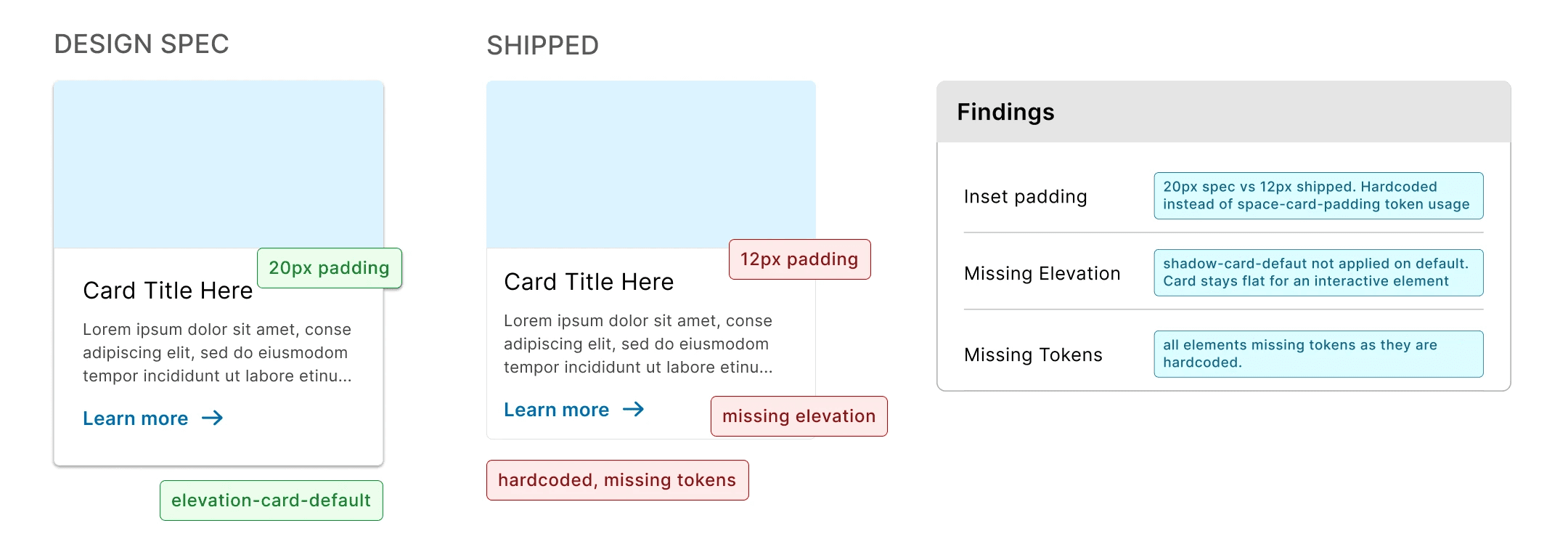
Post-handoff review comparing the shipped component against design specs. Caught one elevation inconsistency on the hover state and a missing focus ring on the horizontal card variant. Both resolved in the same sprint. This review step became standard practice for all components going forward.
Worked hands-on with Modo’s platform to understand limitations in layout, interaction, and content hierarchy. Collaborated with platform developers and support to uncover hidden capabilities and workarounds.
AI as a Design Accelerator
Across the productization lifecycle, I use an internal AI platform to move faster without cutting corners. Rather than replacing any stage of the process, it sharpens each one.
During audits, it helps me scan component usage across the platform at scale, surfacing inconsistencies that would take weeks to catalog manually. In research, it speeds up competitive analysis by gathering and organizing patterns so I can spend more time on the thinking and less on the collecting. For accessibility, it flags contrast issues, missing ARIA roles, and heading hierarchy problems early, supplementing my manual review. During design critiques, it gives me rapid heuristic evaluations on layout density, visual hierarchy, and system consistency, adding an objective layer alongside team feedback. And in testing, it helps surface usage patterns and drop-off points that inform where I iterate next.
The tool doesn't replace the judgment, the craft, or the collaboration. It gives me more time for all three.
Built on Strong Foundations
Every component created through this process lives within a token-based design system built on atomic design principles. The system provides the structure. The productization framework ensures what goes into it is purposeful, researched, and ready for scale.
Foundations include
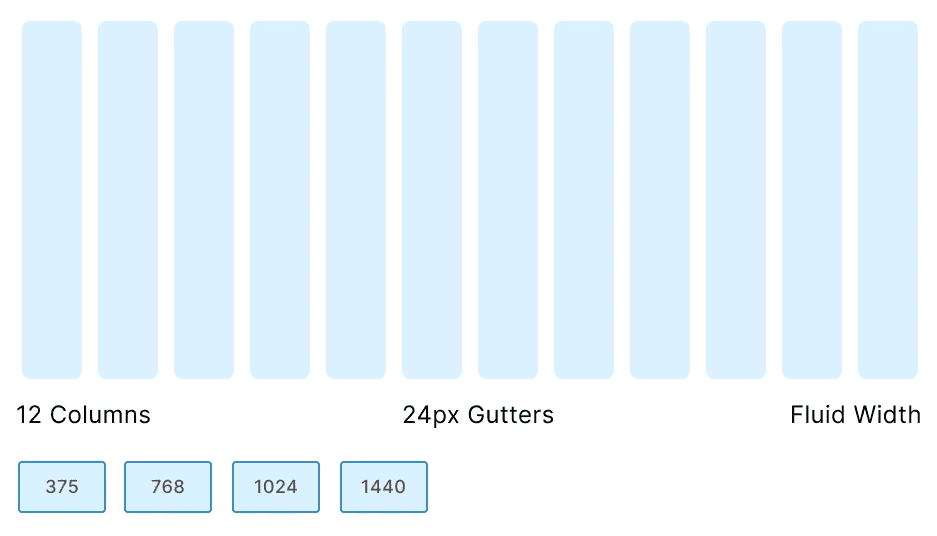
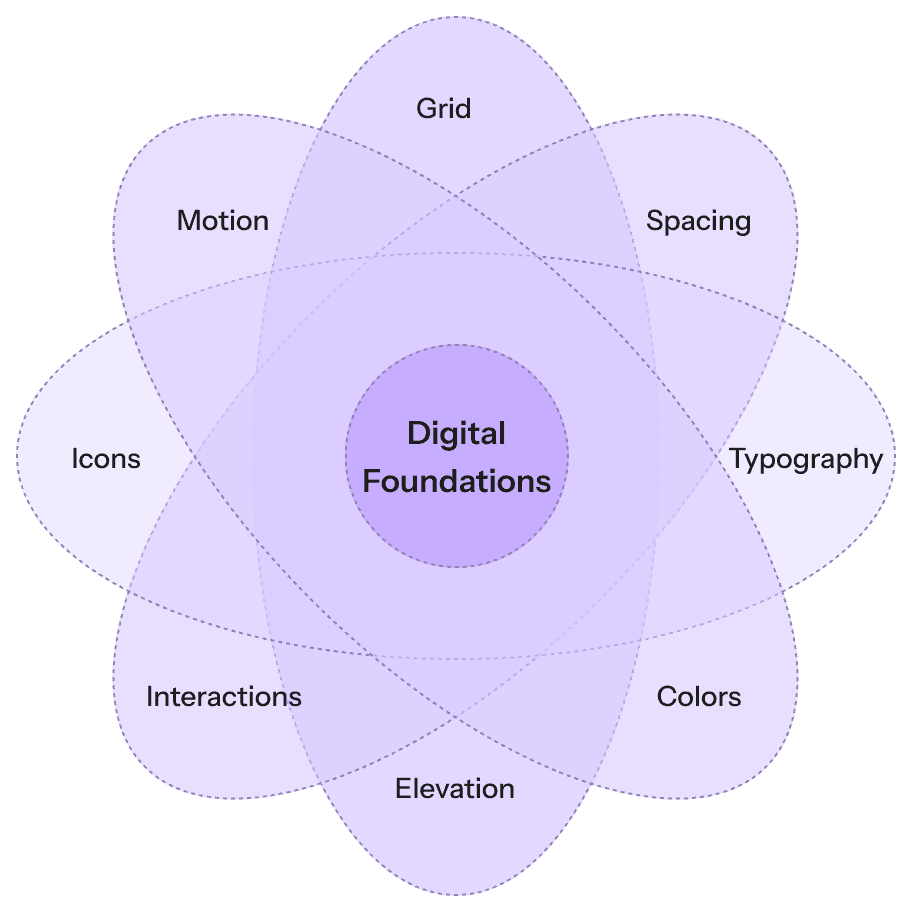
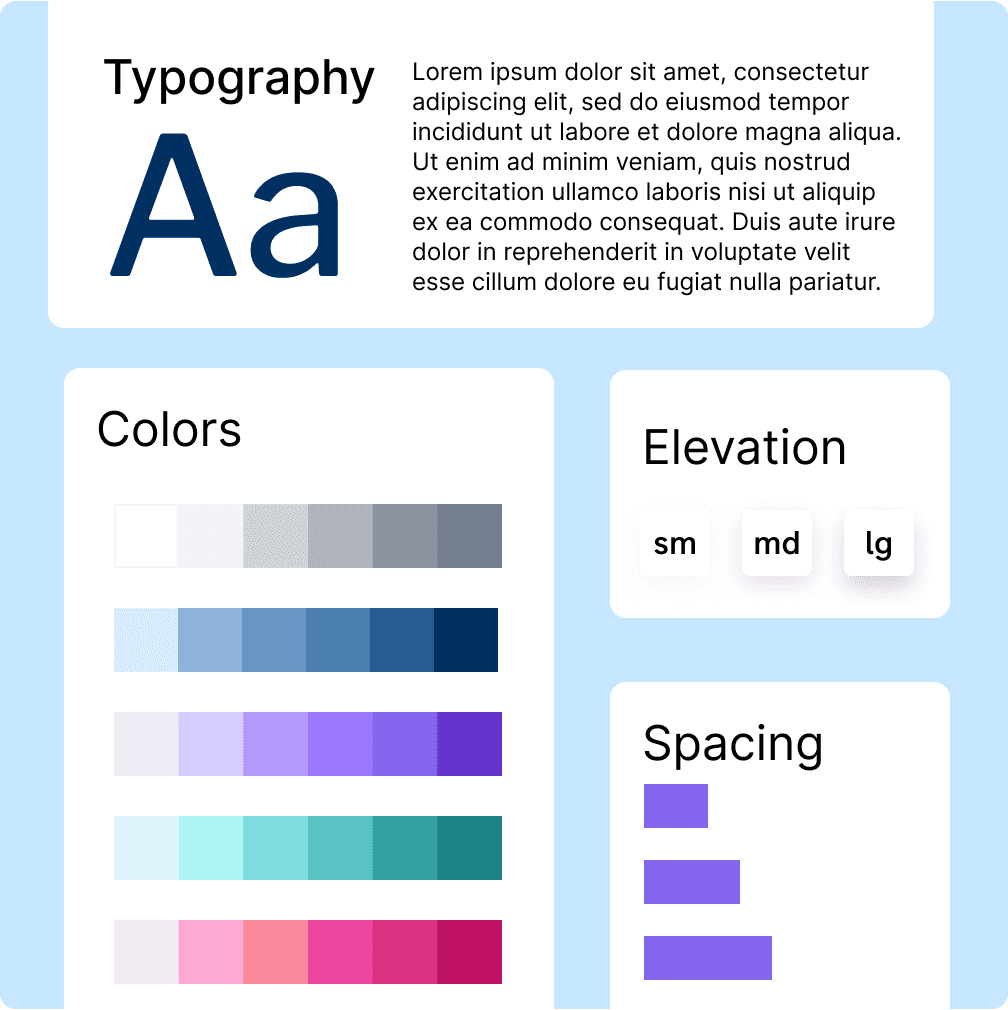
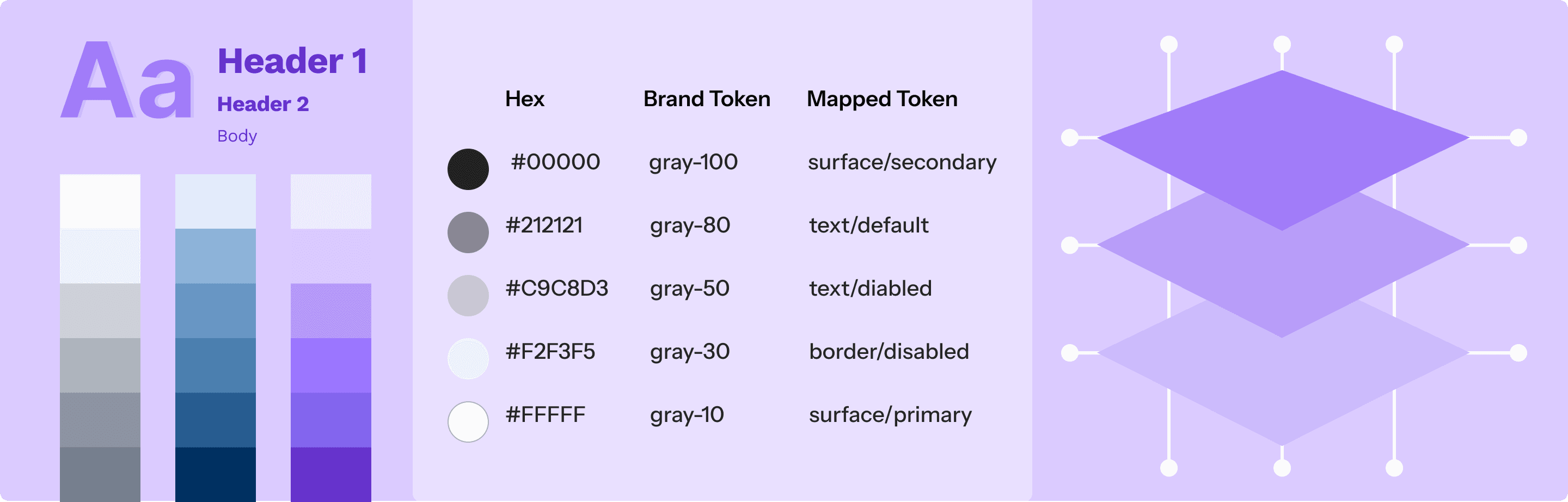
A responsive grid system that scales across breakpoints. A spatial scale and spacing token system that enforces hierarchy and clarity. Elevation levels for layering (modals, overlays, content blocks). Standardized interaction states for all interactive components. A type scale with semantic naming. Color tokens organized by role (background, surface, text, interactive, feedback) with theme support.
Architecture
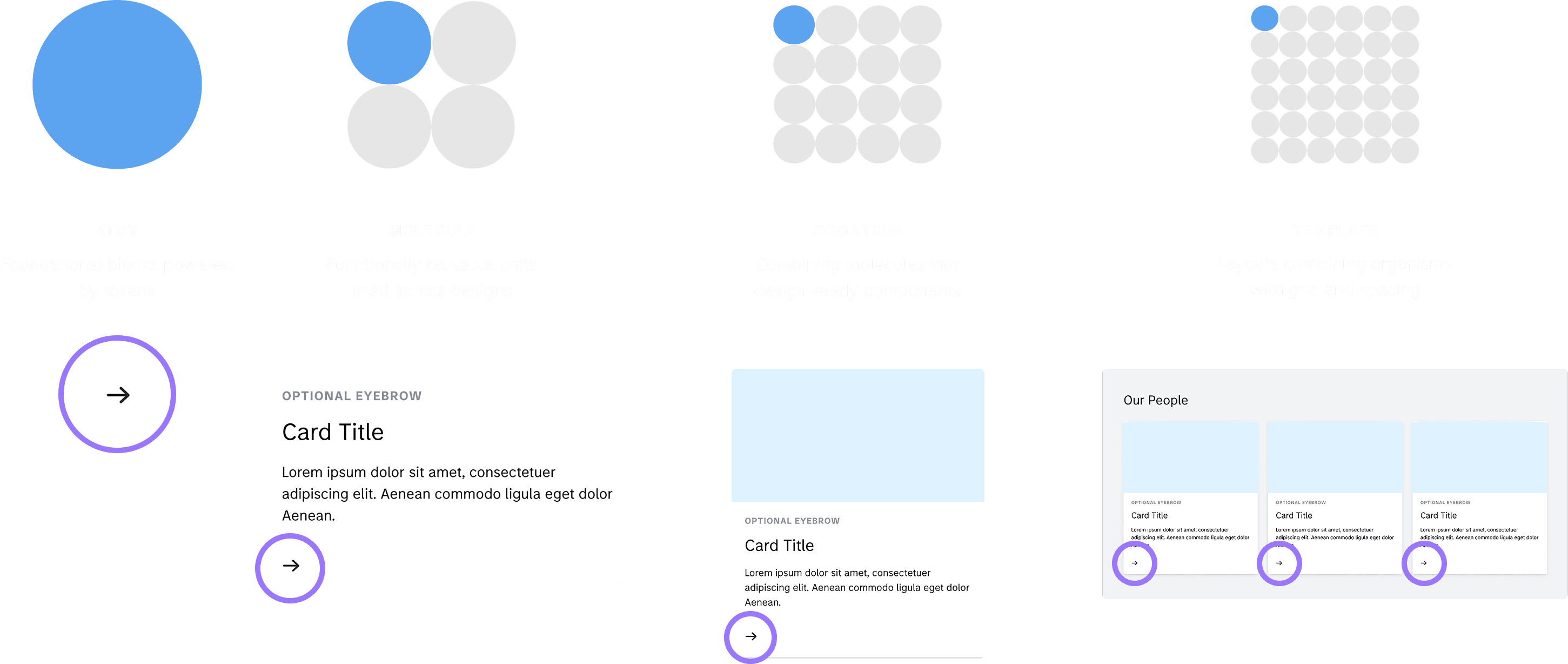
Tokens first: color, typography, spacing, and border radius defined semantically and theme-ready. Components second: built from atoms (buttons, inputs) to molecules (cards, modals) to organisms (headers, hero sections). Patterns last: repeatable page templates assembled from components.
Built to Last, Not Just to Launch
A system without governance is just a Figma file that slowly falls out of date. Every component and token is backed by:
Usage rules, dos and don'ts, and documented edge cases. A Token Master for cross-team collaboration and version control. Contribution guidelines so designers and developers can propose, build, and scale new components through the same productization process. Versioning strategy to support ongoing evolution without breaking what's already shipped. Figma how-to notes and dev-ready specs that reduce onboarding time for new team members.
The governance model turned the system from "one person's project" into a shared, living resource that the whole team owns.
Impact
The productization framework and design system together delivered measurable improvements across the business:
Faster Design Velocity
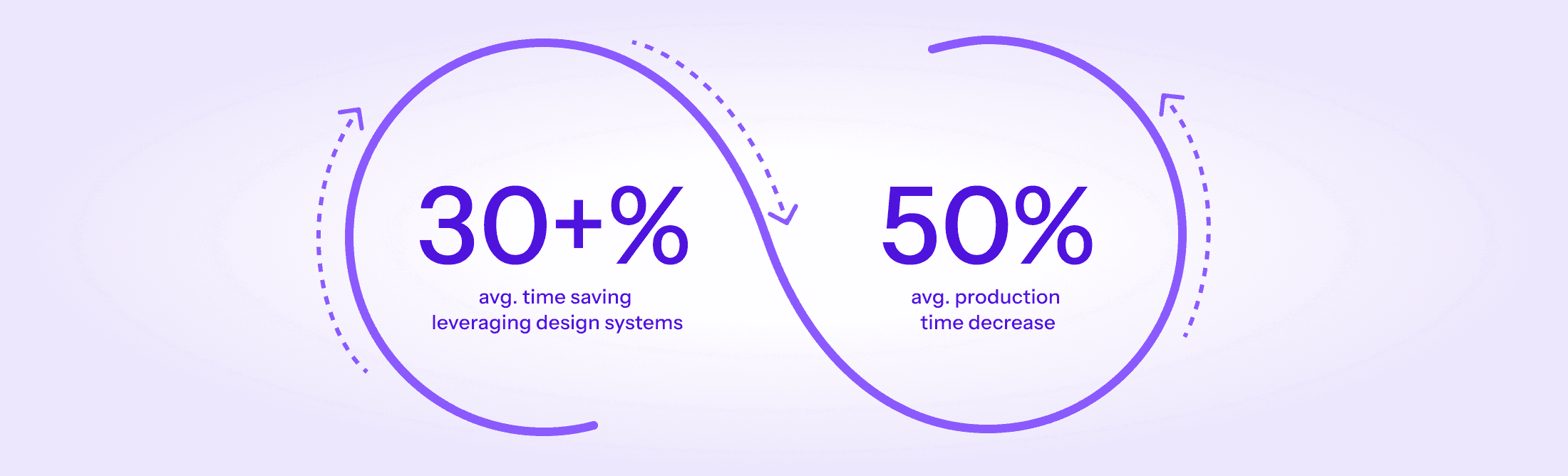
Cut design timelines by 35% through ready-to-use components backed by research and
clear specs.
Reduced costs
Reduced project design and dev costs by up to 50% through reusability and less rework.
Consistent quality
Every component was informed by competitive audits, accessibility reviews, and user testing before it ever reached a developer.
Confident handoffs
Detailed documentation and predictable patterns improved dev collaboration and reduced back-and-forth.
Scalable by design
Atomic architecture and token-based theming meant the system grew with needs rather than starting fresh each time.
Team-wide adoption
Clear governance and contribution guidelines meant the system wasn't dependent on one person. It became how the team works.
Reflection
This project taught me that the value of a design system isn't in the components themselves. It's in the process behind them. When every component goes through proper requirements gathering, research, compliance review, and documentation, the system earns the trust of the people who use it. Designers reach for it because they know the components are solid. Developers trust the specs because they've been validated. And the team moves faster because nobody is guessing.
If I were starting this again, I'd bring engineering into the productization process even earlier. Some of the best improvements came from dev feedback during implementation reviews, and building that loop in from the beginning would have saved time on both sides.
The biggest takeaway: good systems aren't just designed. They're productized. And that's what makes them last.
More Projects You Might Like
Dive deeper into my portfolio to see how I approach different challenges with the same rigor and care.